Streaks vs Things 3: Paid Productivity App Positioning
Compare how Streaks and Things 3 use keywords, screenshots, pricing, reviews, and Apple-native design to sell paid productivity apps.
In this article
- 01Two paid apps, two definitions of progress
- 02US App Store snapshot
- 03Metadata makes the category boundary clear
- 04Streaks shows the product and lets color carry the brand
- 05Things 3 uses a promise-to-workflow sequence
- 06One-time pricing still needs clear boundaries
- 07Review language should reinforce the right promise
- 08What premium productivity teams can copy
- 09FAQ
Two paid apps, two definitions of progress
Streaks and Things 3 both reject the default freemium productivity model, but they do not compete for exactly the same job. Streaks turns repeated behavior into visible momentum. Things 3 turns an open-ended workload into an organized plan.
A habit-tracker user wants consistency, reminders, and feedback. A task-manager user wants capture, prioritization, projects, and a reliable view of today. Their listings translate those different intents into two strong paid positions.
US App Store snapshot
Snapshot checked June 28, 2026. Rankings, rating counts, and prices can change; use these numbers as a dated listing comparison.
| Signal | Streaks | Things 3 |
|---|---|---|
| Subtitle | The habit-forming to-do list | Organize your life |
| Price | $5.99 upfront | $9.99 upfront on iPhone |
| Public rating | 4.8 from about 27K ratings | 4.8 from about 28K ratings |
| Visible chart | #1 Health & Fitness | #1 Productivity |
| Core job | Build or break habits | Plan tasks and projects |
Metadata makes the category boundary clear
Streaks is a brand-only title, so its subtitle must carry category meaning. “The habit-forming to-do list” connects the familiar to-do concept with a specific outcome: repeated behavior. The description reinforces reminders, negative habits, timed tasks, Health data, and Apple Watch.
Things 3 also relies on a brand title. “Organize your life” is broader and more emotional than “task manager,” while the description supplies the concrete jobs: plan your day, manage projects, and progress toward goals.
Streaks keyword clusters
habit tracker, daily habits, streak tracker, reminders, break bad habits, Health app, Apple Watch
Things 3 keyword clusters
to-do list, task manager, daily planner, projects, calendar tasks, organize life, Apple Watch
These are public semantic clusters, not claims about either hidden keyword field. Use the keyword research framework before prioritizing terms by relevance and conversion intent.
Streaks shows the product and lets color carry the brand
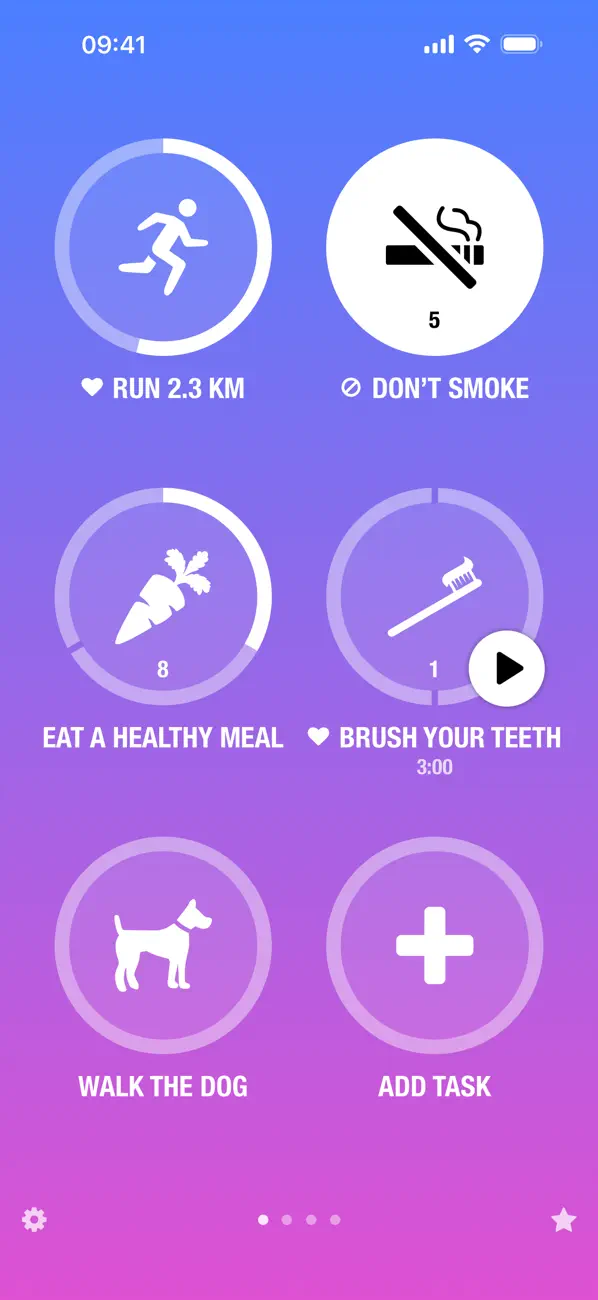
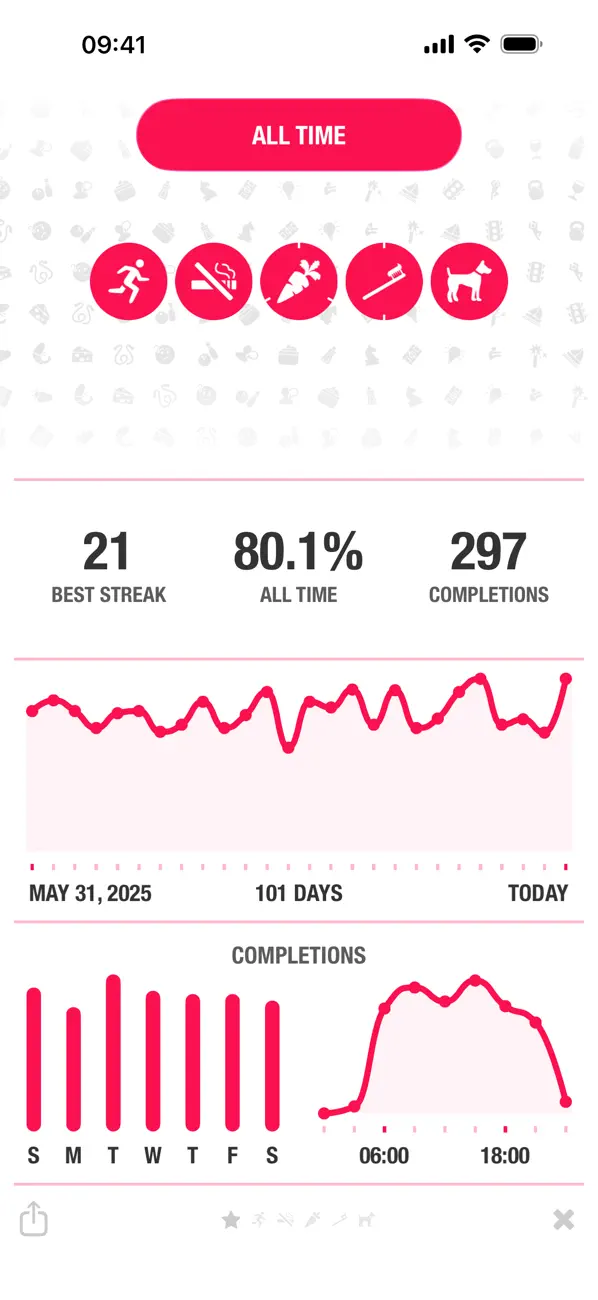
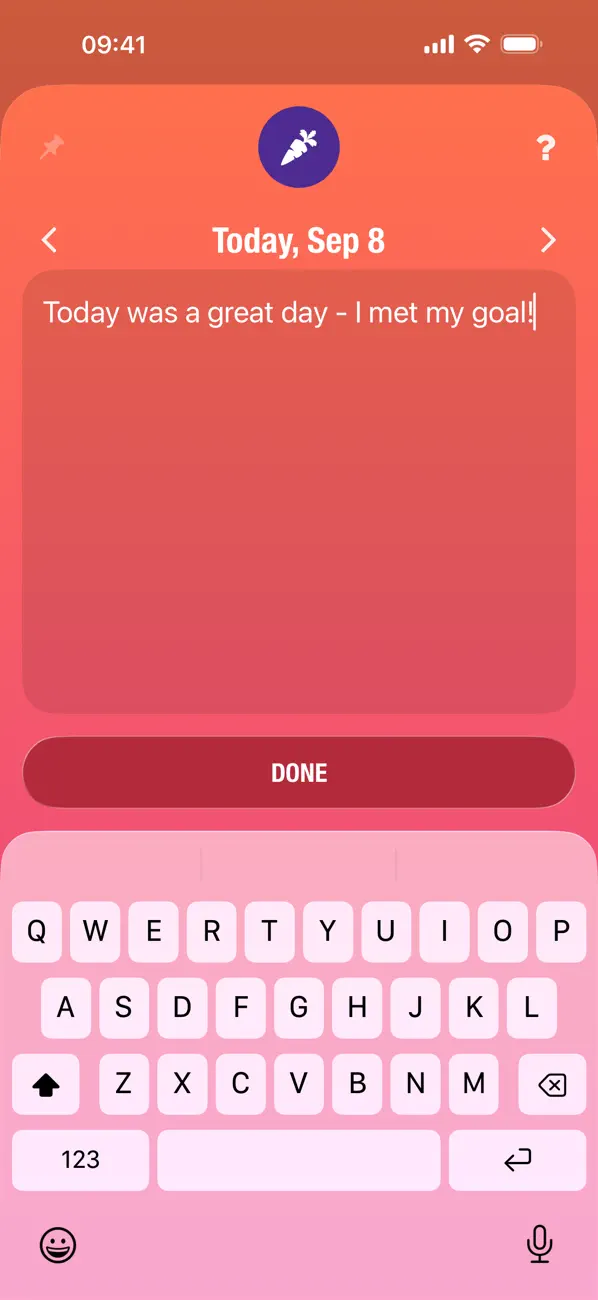
The opening sequence is almost entirely interface-led. It shows varied habits, visual completion rings, all-time statistics, and notes. Bright themes and large icons make the product recognizable, but the absence of benefit headlines asks new users to infer why each screen matters.
A stronger acquisition sequence could retain the distinctive UI while adding short outcomes such as “Build habits that stick,” “See what keeps you consistent,” and “Remember what worked.”
Things 3 uses a promise-to-workflow sequence
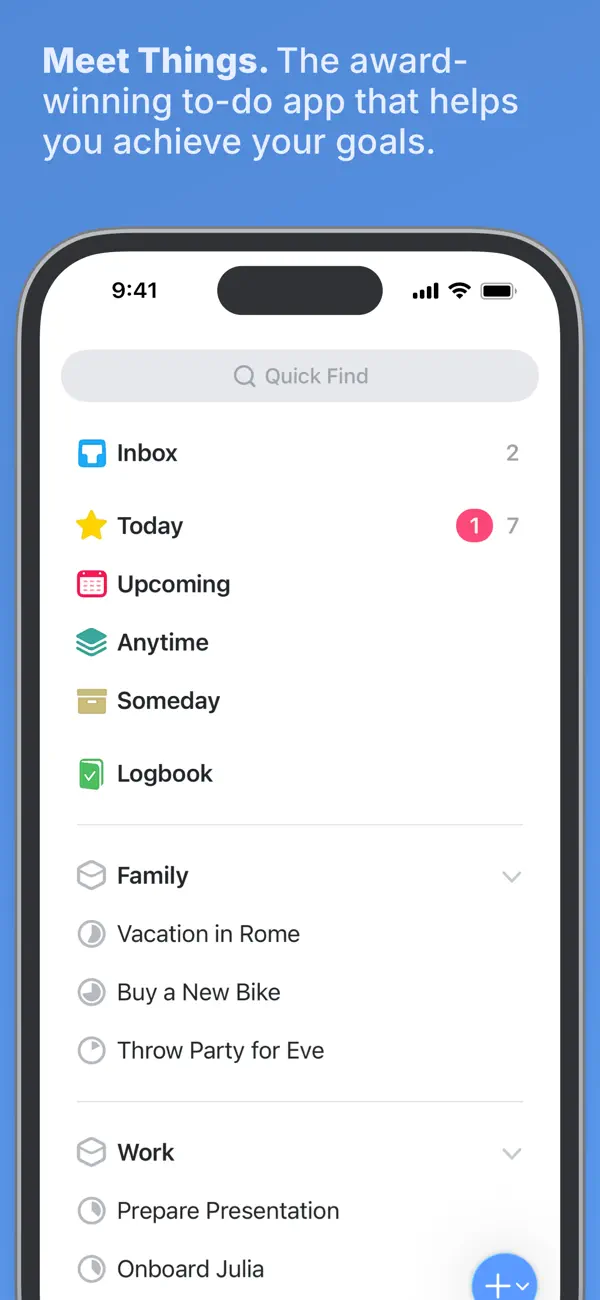
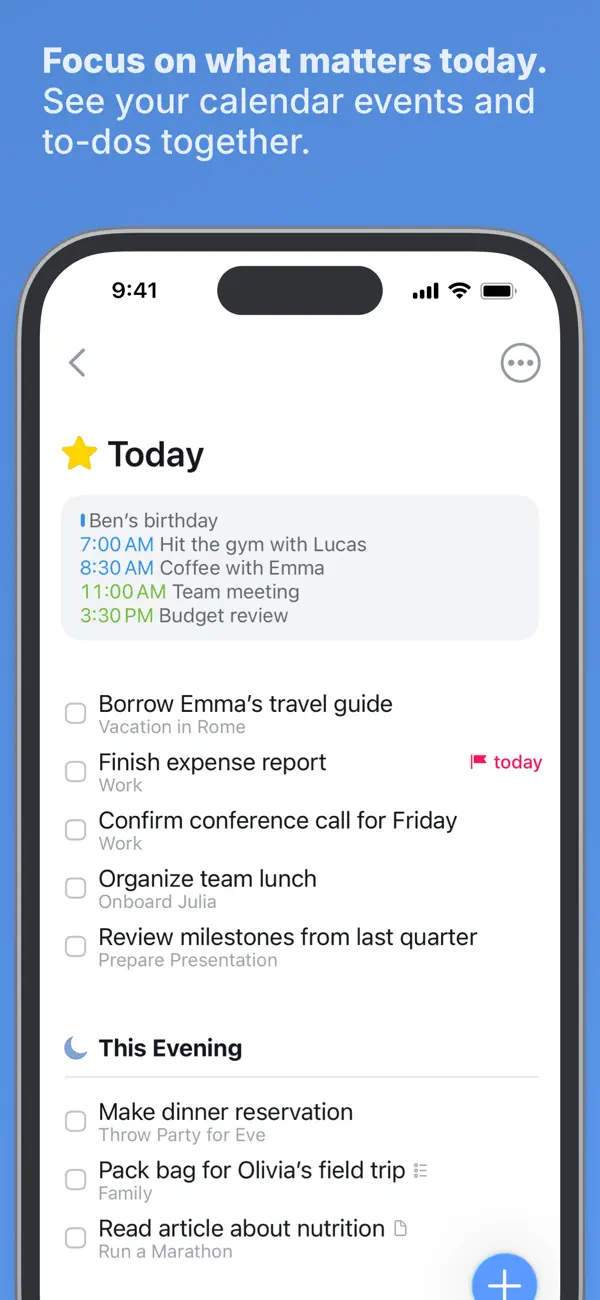
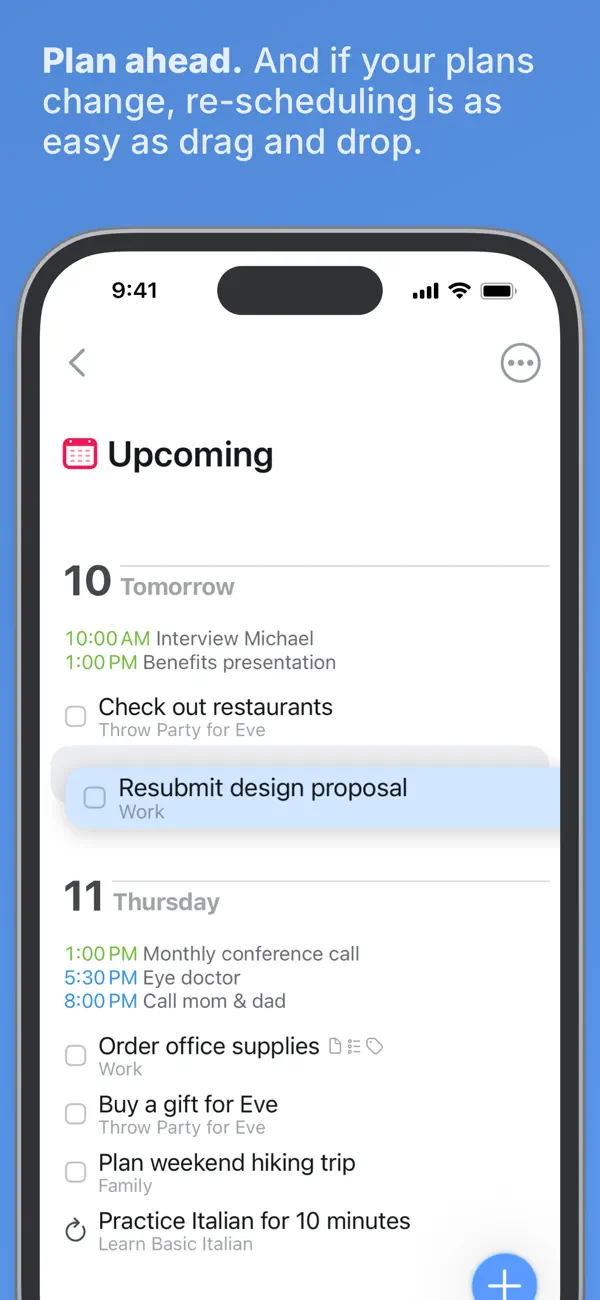
Things opens with “Meet Things” and a direct goal promise. The next frames narrow into today and upcoming planning. Each headline names an outcome, and each interface crop proves the workflow beneath it. The sequence sells calm control rather than maximum feature count.
This is the clearer conversion story of the pair. It supports the premium price with deliberate, legible creative. See the dedicated Things 3 ASO analysis for the single-app context.
One-time pricing still needs clear boundaries
Streaks gives one purchase access across the Apple platforms shown on its current compatibility listing. Things 3 sells separate versions for iPhone, iPad, and Mac. Things therefore benefits from no recurring subscription, but its total ecosystem cost requires clearer expectation setting.
Paid apps should explain what is included, whether sync is free, how other platforms are purchased, and why the workflow will remain useful after the novelty of a new system fades.
Review language should reinforce the right promise
For Streaks, useful themes include flexibility, reminders, Health integration, Watch convenience, and whether streak mechanics motivate without creating pressure. For Things 3, look for capture speed, planning clarity, design, sync confidence, and the tradeoff between simplicity and missing collaboration or platform coverage.
Group reviews by job, audience, version, and severity using the review-led conversion process before turning an isolated comment into listing copy.
What premium productivity teams can copy
- Define one repeatable job before listing every capability
- Use the subtitle to explain a brand-only title
- Pair outcome headlines with recognizable interface proof
- Explain cross-device purchase and sync boundaries early
- Treat native Apple integration as workflow proof
Another durable paid-app model appears in our Paprika Recipe Manager analysis. AnkiMobile shows how specialist compatibility can support a higher upfront price, while Goblin Tools uses a low paid price to support a free web ecosystem.
FAQ
Are Streaks and Things 3 direct competitors?
Only partly. Streaks focuses on repeated habits, while Things 3 focuses on tasks, projects, and daily planning.
Which listing has the stronger screenshot sequence?
Things 3 currently communicates outcomes more explicitly. Streaks demonstrates more product personality but relies more on users interpreting the interface.
What is the main pricing difference?
Both use upfront pricing, but Streaks covers the Apple platforms shown on its listing while Things sells separate platform versions.
Which keywords should a new app target?
Choose the job first. Habit apps need repetition and behavior terms; task apps need planning, to-do, project, and organization terms.
Continue your ASO workflow