CapCut vs InShot: ASO, Screenshots, Pricing, and Reviews
Compare CapCut and InShot across App Store metadata, AI and video editor screenshots, pricing, ratings, review themes, and conversion strategy.
In this article
- 01CapCut and InShot now overlap more than their reputations suggest
- 02Listing snapshot
- 03Metadata positioning
- 04CapCut leads with a discovery engine
- 05InShot leads with an approachable editing workflow
- 06AI is a layer, not the whole category
- 07Pricing creates a material positioning difference
- 08Review signals support different trust stories
- 09Which listing is stronger by intent?
- 10Growth opportunities
- 11Lessons for competing creative apps
- 12FAQ

CapCut and InShot now overlap more than their reputations suggest
Both apps cover video editing, photo editing, AI tools, effects, music, captions, background removal, and social export. The difference is the hierarchy. CapCut's opening creative leads with templates, AI transformation, and trends. InShot leads with an approachable editor, transitions, and audio creation.
This comparison uses public US App Store signals checked June 28, 2026. It does not claim access to either hidden keyword field or attribute search rankings without direct measurement.
Listing snapshot
| Signal | CapCut | InShot |
|---|---|---|
| Title | CapCut: Photo & Video Editor | InShot - Video Editor |
| Subtitle | Video maker with music | Photo, Collage & Video Maker |
| Rating | 4.6 from about 1.1M ratings | 4.9 from about 2.5M ratings |
| Visible chart | #1 Photo & Video | #22 Photo & Video |
| Download model | Free with in-app purchases | Free with in-app purchases |
| Opening emphasis | Templates, AI effects, trends | AI video editor, transitions, audio |
Chart position and rating volume measure different signals. CapCut's current category rank does not invalidate InShot's larger rating history, and rating count does not prove stronger current acquisition.
Metadata positioning
CapCut uses the title to cover photo and video editing, then narrows the subtitle to a familiar “video maker with music” job. InShot keeps “Video Editor” in the title and uses the subtitle to expand into photo and collage creation.
Shared keyword clusters
video editor, video maker, photo editor, music, effects, filters, captions, background removal, 4K export
Differentiating emphasis
CapCut: templates, trends, keyframes, tracking, TikTok and multi-platform publishing. InShot: collage, transitions, voice-over, simple editing, photo grids, lifetime Pro.
CapCut leads with a discovery engine
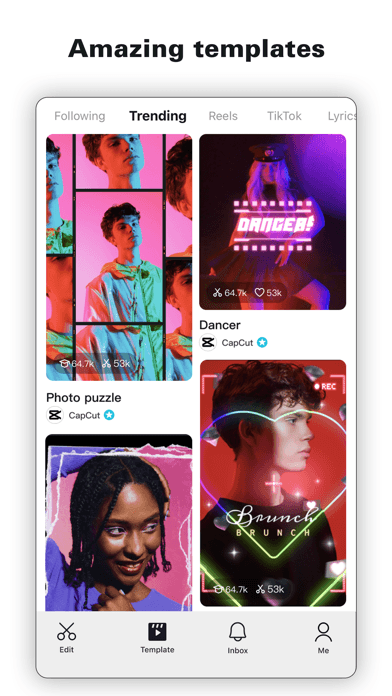
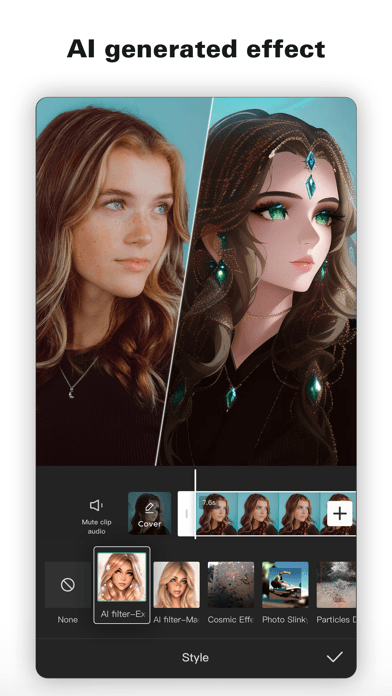
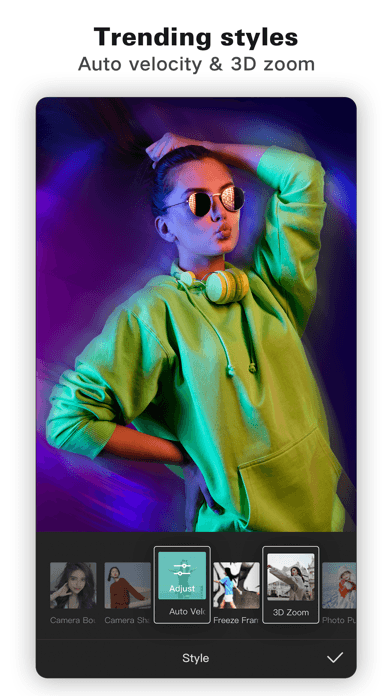
The first frame looks like a template marketplace with visible creators and engagement. The next two sell AI transformation and trend effects. This is effective for users who want inspiration or a fast result, but the timeline and precision-editing workflow arrive later.
Read the dedicated CapCut screenshot and review analysis for a frame-by-frame conversion brief.
InShot leads with an approachable editing workflow
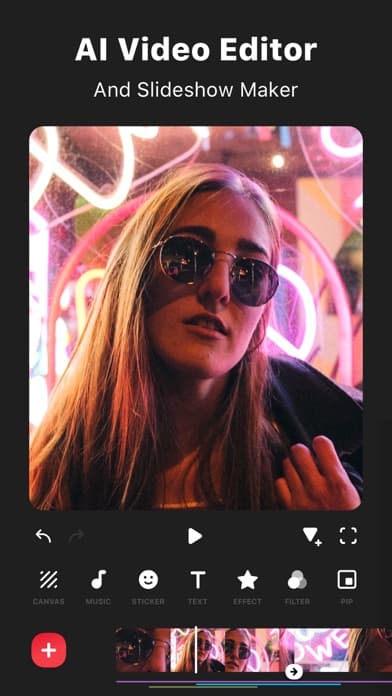
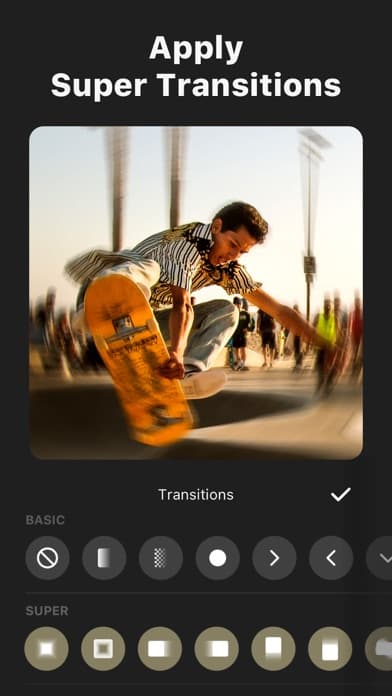
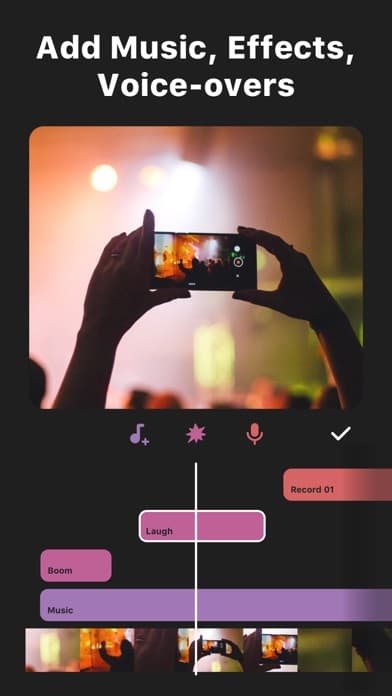
InShot opens with “AI Video Editor and Slideshow Maker,” but the image is a recognizable timeline. The next frames show transitions and a layered audio timeline. The sequence makes editing mechanics easier to understand than CapCut's opening sequence.
InShot's creative is less focused on social discovery and more focused on completing a video. Its AI label is broad, while later frames prove conventional tools.
AI is a layer, not the whole category
CapCut demonstrates an AI-generated visual style early. Its description also lists auto captions, text-to-speech, tracking, and background removal. InShot publicly lists AI effects, auto captions, background removal, smart tracking, slow motion, auto adjust, and smart collage.
Both can improve clarity by separating expressive AI from practical automation. A creator searching for captions has a different intent from one searching for character transformations or AI collage.
Pricing creates a material positioning difference
CapCut's current US purchase list includes multiple monthly price points and an $89.99 yearly option. InShot publicly shows $4.99 monthly, $19.99 yearly, and $49.99 lifetime options, plus smaller one-time packs and ad removal.
The lists do not reveal every eligibility rule or feature boundary, but InShot communicates a clearer ownership ladder. CapCut needs stronger plan explanation because its storefront displays more price variants and its screenshots lead with premium-looking creative.
Review signals support different trust stories
InShot's visible featured review emphasizes fast, easy, accurate editing and gradual subscription adoption. CapCut's visible review content includes praise for free options and template breadth, alongside concerns about storage, price, and template-feed content.
Featured reviews are anecdotes, not representative datasets. Analyze recent reviews by version, device, plan, job, and severity using the review intelligence framework.
Which listing is stronger by intent?
| Intent | Clearer listing | Reason |
|---|---|---|
| Discover a trend or template | CapCut | Template feed and trend effects appear immediately |
| Understand the editing workflow | InShot | Timeline, transitions, and audio are visible early |
| See advanced motion depth | CapCut description | Keyframes, tracking, chroma key, and stabilization are explicit |
| Compare purchase options | InShot | Monthly, yearly, lifetime, ad removal, and packs form a clearer ladder |
| Photo and collage breadth | InShot subtitle | Both adjacent jobs are named visibly |
Growth opportunities
CapCut
- Move practical AI and the core timeline earlier for utility-driven traffic
- Clarify free, Standard, and Pro access near premium-looking screenshots
- Test trust messaging for storage, projects, export, and template discovery
- Use Custom Product Pages for template, AI, social, and advanced-editor intents
InShot
- Replace the broad AI label with proven automation jobs
- Connect photo and collage metadata to screenshot proof
- Use lifetime ownership as a conversion message where appropriate
- Show export quality and watermark boundaries earlier
Lessons for competing creative apps
- Compete on the first completed outcome, not the longest feature list
- Distinguish expressive AI from workflow automation
- Templates need control and originality proof
- Pricing architecture is part of positioning
- Rating scale and current chart position answer different questions
Compare the premium creative position in our Darkroom ASO analysis.
FAQ
How do CapCut and InShot position differently?
CapCut's opening creative emphasizes templates, AI transformations, and trends. InShot emphasizes an approachable editing timeline, transitions, and audio tools.
Which app has the stronger App Store rating?
At the June 28, 2026 snapshot, InShot shows 4.9 from about 2.5M ratings, while CapCut shows 4.6 from about 1.1M. Ratings can change and do not alone determine conversion.
Which app has clearer pricing?
InShot's public purchase list presents a clearer monthly, yearly, lifetime, pack, and ad-removal ladder. Exact access still needs in-product verification.
Do both apps offer AI editing?
Yes. Both publicly describe AI effects and practical automation such as captions, background removal, tracking, and other assisted workflows.
Continue your ASO workflow